

Free Software
FREEDC QueryStudio
Cross-Platform Database Query Tool with Built-In AI Assistant
A desktop database client for MySQL, PostgreSQL, SQLite, and SQL Server. It includes an AI assistant that understands your actual schema, so it writes queries using your real table names and columns. You can also generate ERD diagrams, edit data inline, and export results in multiple formats. Free, offline, no account needed.
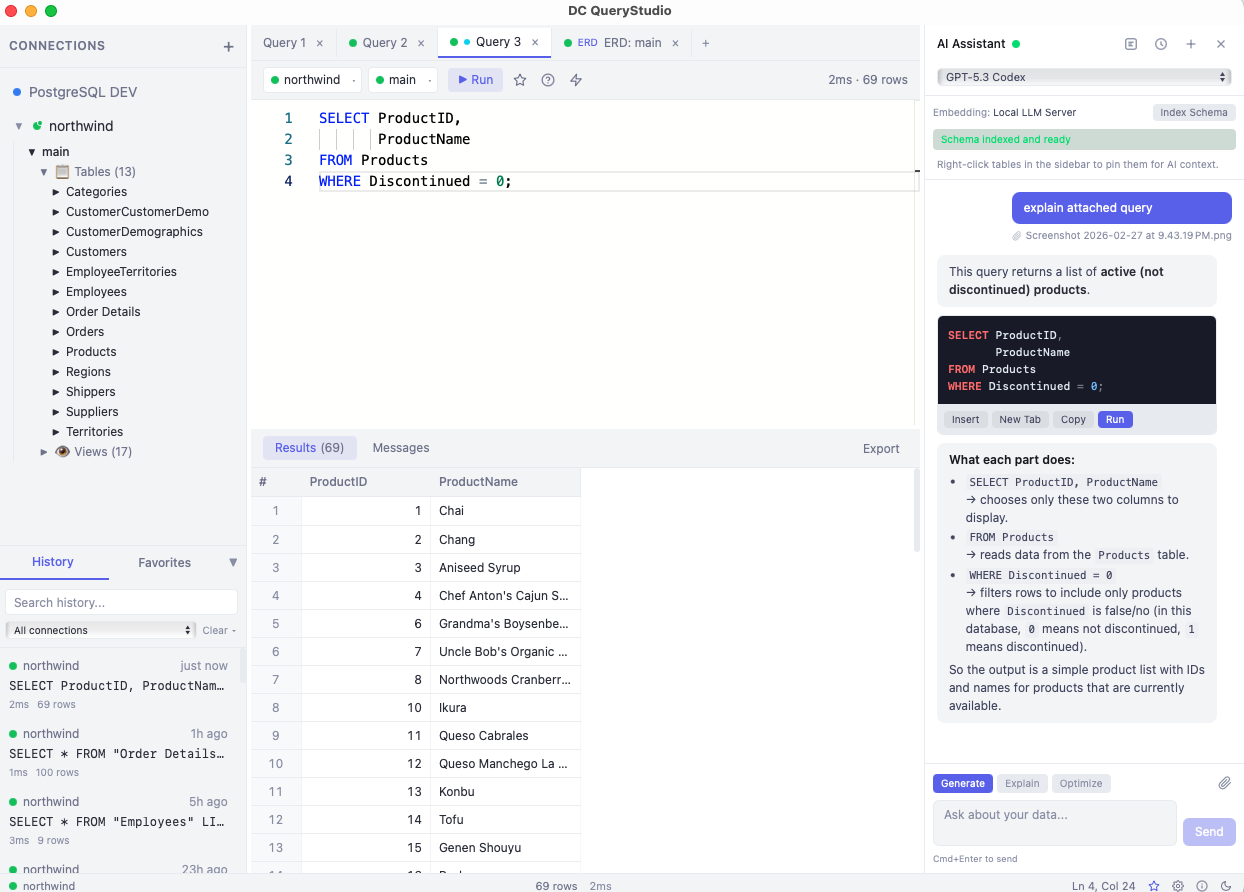
Most database tools are either expensive and bloated, or too simple to be useful. You end up jumping between a query editor, a browser for schema docs, ChatGPT for SQL help, and a spreadsheet for exports. It should all be in one place.
DC QueryStudio puts a SQL editor, AI assistant, ERD viewer, data editor, and export tool into one desktop app. The AI knows your actual database schema, not just generic SQL, so it writes queries that work on the first try.
Download DC QueryStudio
Select your platform and accept the terms to download.
4 platforms available. Select your platform above.
Interface Overview
Here's what each part of the interface does.
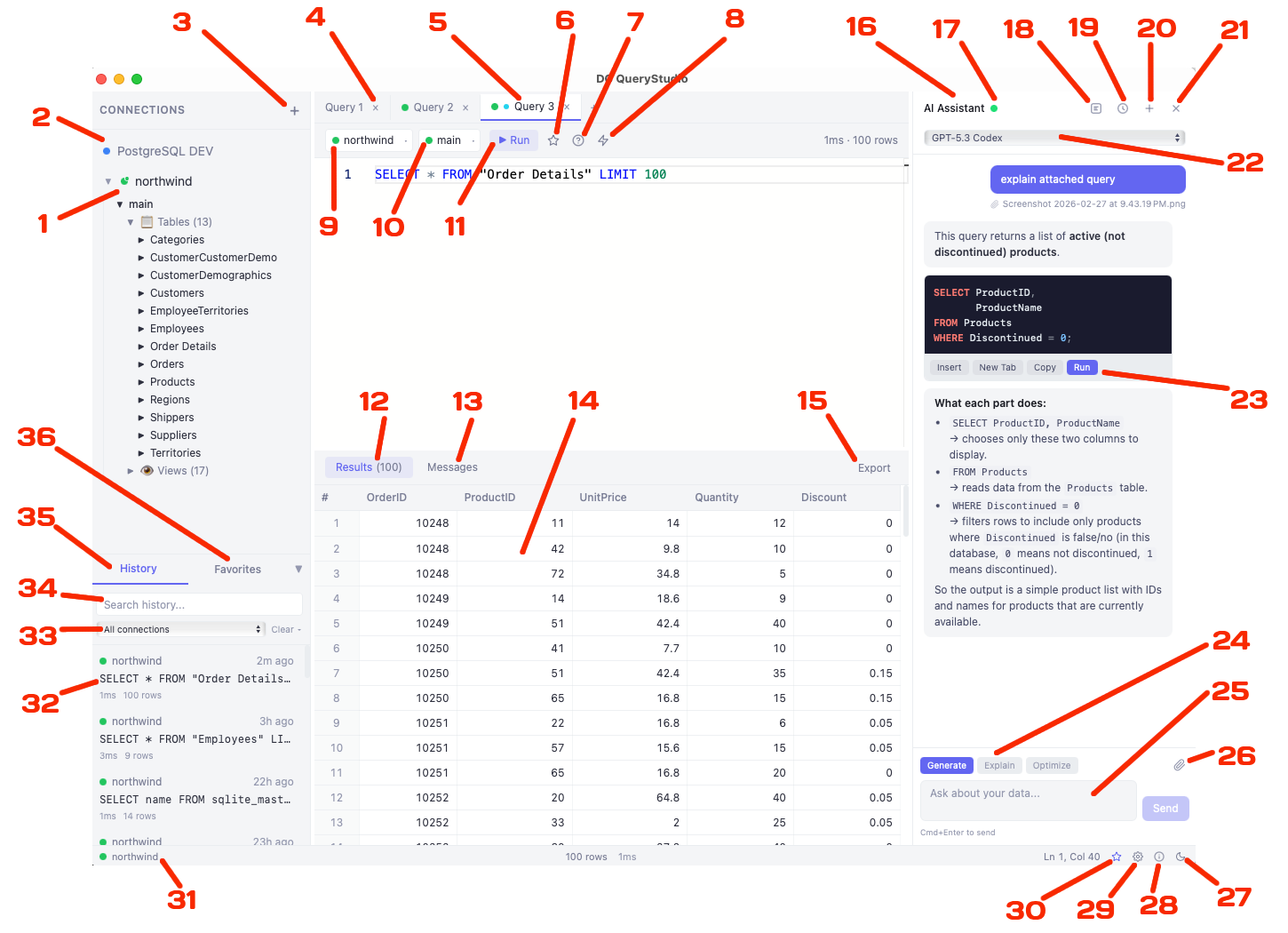
Sidebar
- 1 Current Active Connection
- 2 Connection Panel
- 3 Add New Connection
- 31 Current Connection Indicator
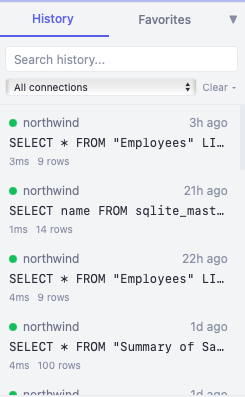
- 35 Query History Tab
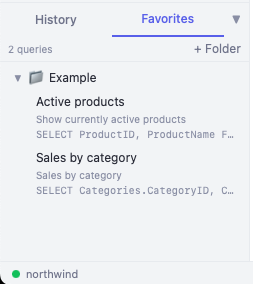
- 36 Favorites Tab
- 32 SQL Query History
- 33 Filter History by Connection
- 34 Search Query History
SQL Editor
- 4 Query Tabs
- 5 Current Active Tab
- 9 Connection Used by Tab
- 10 Selected Database
- 11 Execute SQL Query
- 6 Save to Favorites (Cmd+S)
- 7 Explain Query (AI)
- 8 Optimize Query (AI)
Results
- 12 Results Tab
- 13 Messages Tab
- 14 Result Grid
- 15 Export Result Grid Data
AI Assistant
- 16 AI Assistant Panel
- 22 Select LLM Model
- 17 Embedding Indexing Status (Green = Ready)
- 18 Toggle Embedding Panel
- 19 Toggle AI Chat History
- 20 Start New AI Chat
- 21 Close AI Assistant Panel
- 23 Run Generated SQL Query
- 24 Select AI Task (Generate / Explain / Optimize)
- 25 AI Chat Input Box
- 26 Attach File to AI Chat
Status Bar
- 27 Toggle Light/Dark Theme
- 28 Open About Dialog
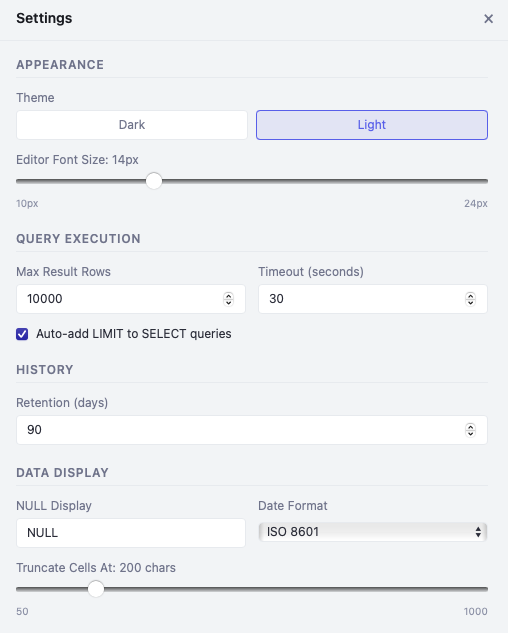
- 29 Open Settings
- 30 Open AI Assistant Panel
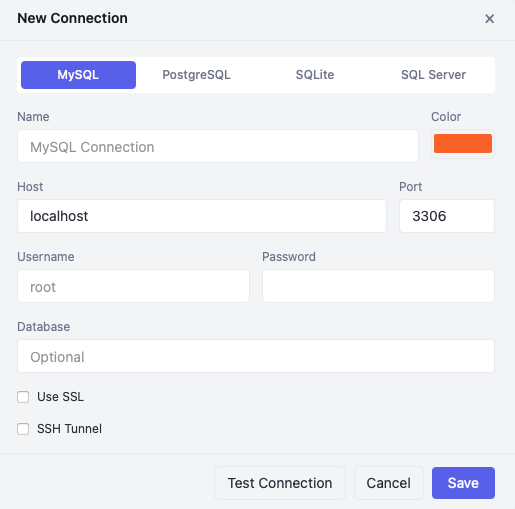
MySQL
Full MySQL support with INFORMATION_SCHEMA introspection, SSL connections, and SSH tunneling for secure remote access.
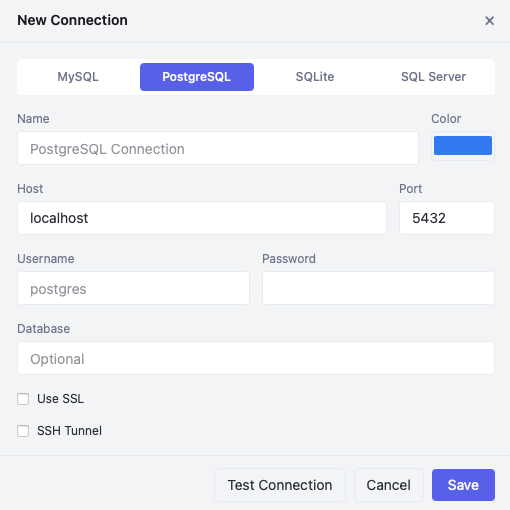
PostgreSQL
PostgreSQL support with pg_catalog queries, per-database connection pools, and schema-level object browsing.
SQLite
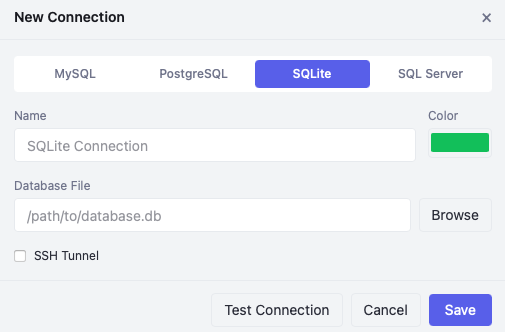
Local SQLite databases via file picker. Browse tables using sqlite_master and PRAGMA introspection.
Monaco Editor
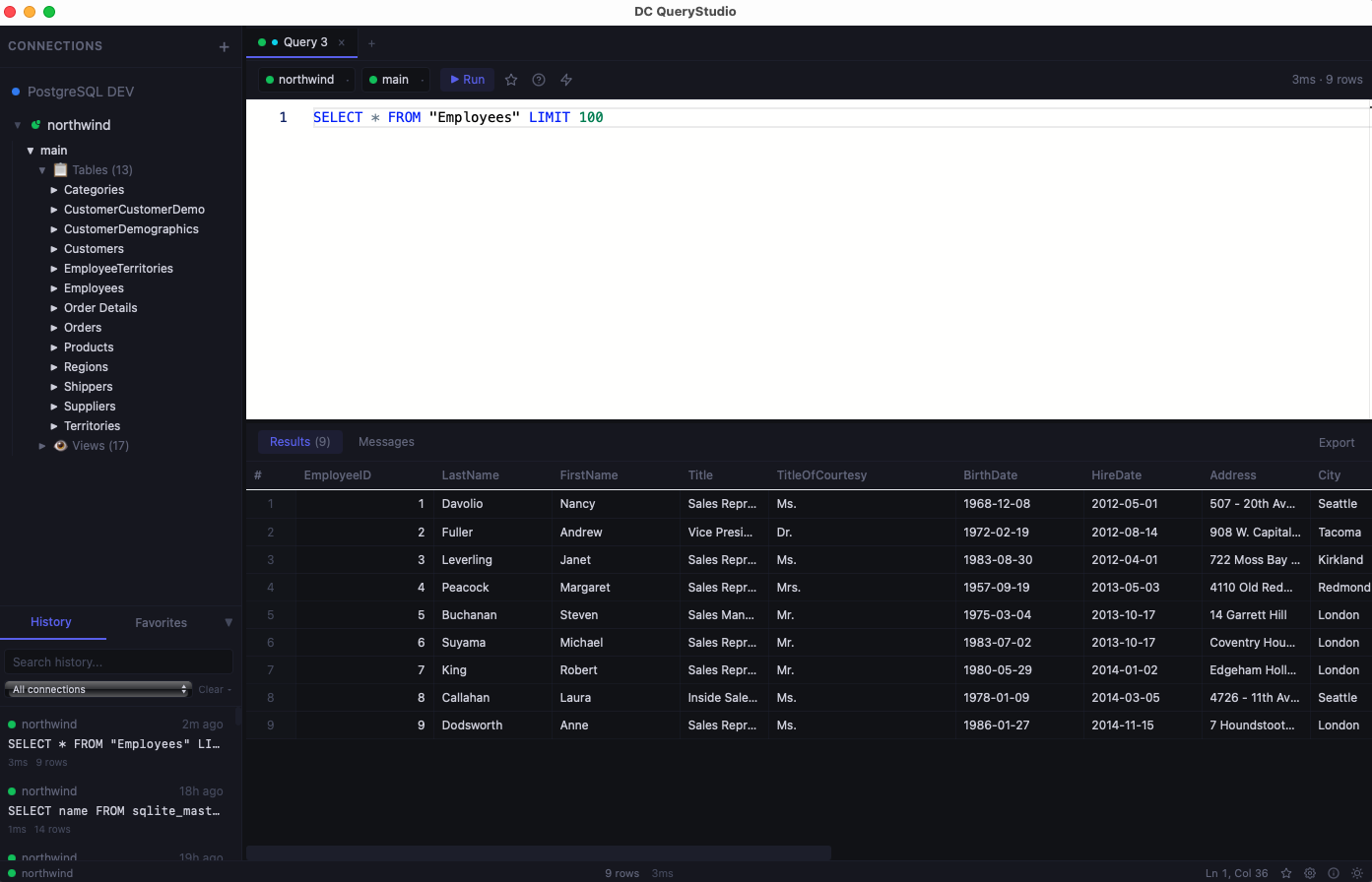
Powered by the same editor engine as VS Code. Syntax highlighting, auto-complete, and per-engine awareness.
Multi-Tab Editing
Work on multiple queries simultaneously. Each tab binds to its own connection and database with a color-coded dot.
Execute Selection
Highlight a portion of SQL and press Cmd+Enter to run just that part. Full keyboard-driven workflow.
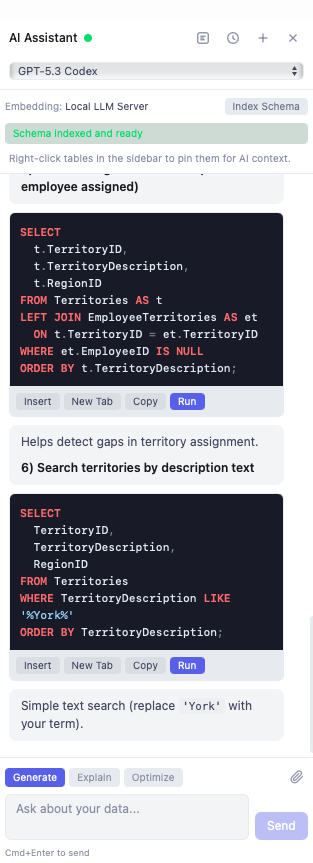
Generate SQL
Describe what you want in plain English and the AI writes the query using your actual table names and columns.
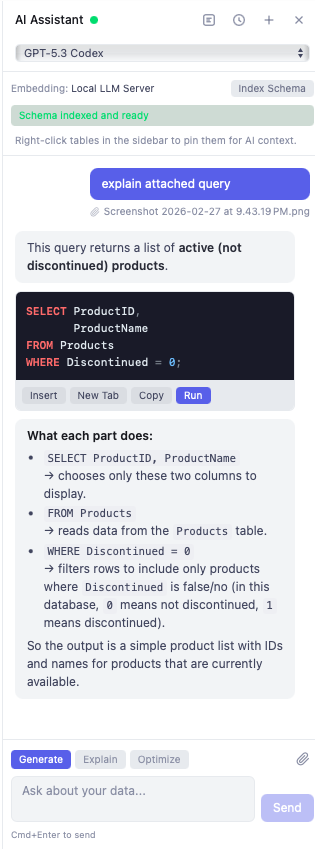
Explain Queries
Paste a complex query and get a plain-English breakdown of what each clause does.
Optimize Queries
Submit a slow query and receive optimization suggestions based on your database schema and indexes.
Schema Embeddings
Index your database schema into vector embeddings so the AI knows your tables, columns, and relationships.
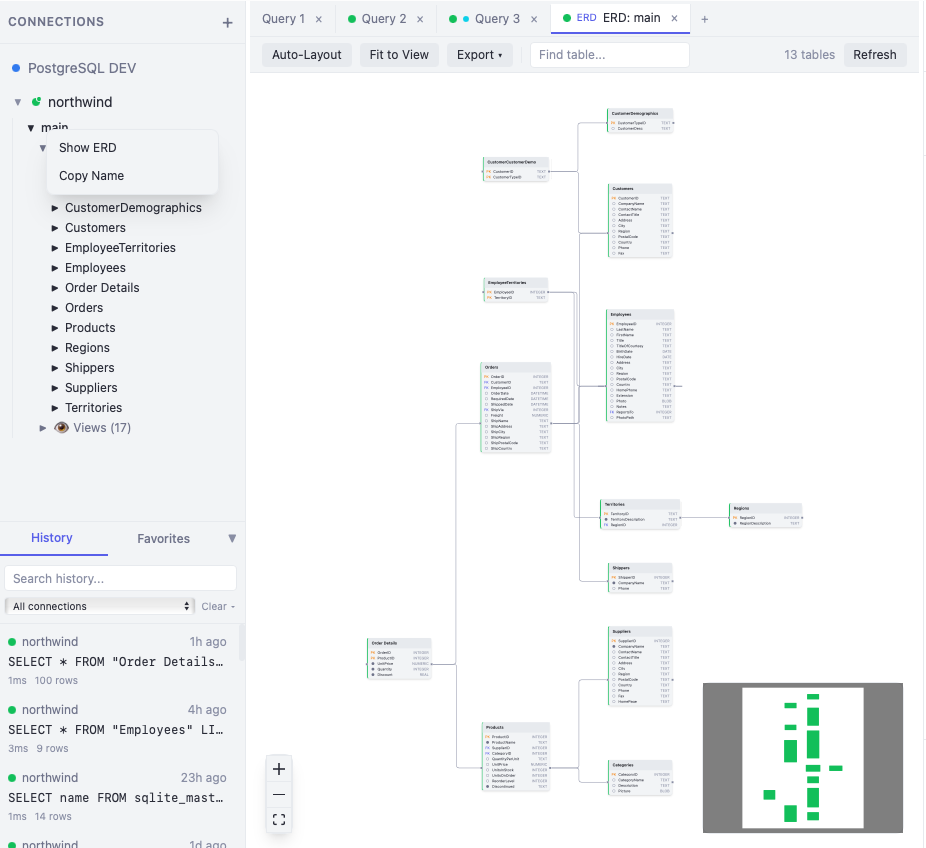
Visual ERD Diagrams
Generate interactive entity-relationship diagrams from your live database with auto-layout and export.
Object Browser
Lazy-loading tree showing databases, tables, views, stored procedures, functions, indexes, and triggers.
Editable Grid
Edit First 500 Rows: double-click cells to edit inline, add/delete rows, and apply changes with generated SQL.
Export Formats
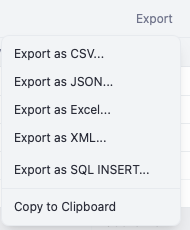
Export results as CSV, JSON, Excel (.xlsx), XML, SQL INSERT statements, or copy to clipboard.
Table Operations
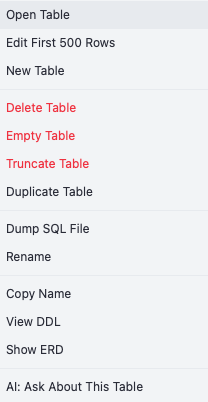
Right-click tables to open, edit, delete, empty, truncate, duplicate, dump SQL, rename, or view DDL.
macOS & Windows
Native builds for macOS (Apple Silicon and Intel) and Windows (MSI installer or NSIS setup).
Multiple LLM Providers
Choose from OpenAI, Anthropic, Google, ChatGPT, or any local LLM server (Ollama, LM Studio).
Dark & Light Themes
Toggle between dark and light themes with a single click. Deep navy-charcoal dark or clean white light.
See It In Action
Explore the interface with screenshots of each feature.
Key Features
- 4 database engines in one app. MySQL, PostgreSQL, SQLite, and SQL Server
- AI Assistant with Generate, Explain, and Optimize modes that understands your actual schema
- Visual ERD diagrams generated from live database schemas with auto-layout and export
- Schema embedding indexing for context-aware AI responses using your real tables and columns
- 5 LLM providers. OpenAI, Anthropic, Google, ChatGPT, and fully local/offline LLM
- File attachments in AI chat. Share ERD screenshots, CSV data, SQL scripts, and PDF specs
- Monaco-based SQL editor with syntax highlighting and multi-tab editing
- Editable data grid for direct row manipulation with change tracking
- Export to CSV, JSON, Excel, XML, and SQL INSERT statements
- Query history with full-text search, connection filtering, and selective cleanup
- Favorites with folder organization and AI few-shot learning context
- Cross-platform. macOS (Intel and Apple Silicon) and Windows
- Built with Rust backend for native performance, not Electron
- Completely free, no ads, no account required
How It Works
Connect
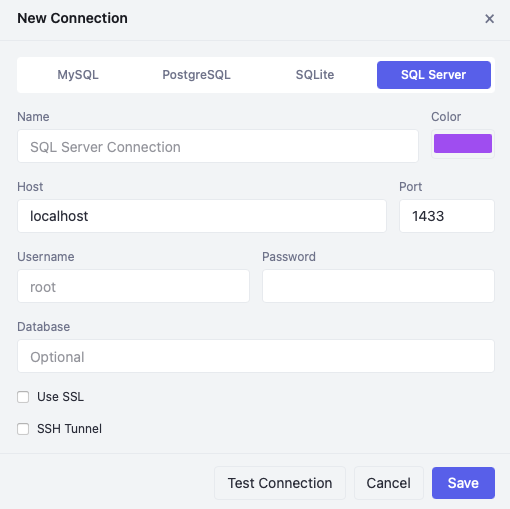
Add your database connection. MySQL, PostgreSQL, SQLite, or SQL Server. Test it with one click.
Query
Write SQL in the editor or ask the AI to generate it. Browse your schema in the object tree.
Analyze & Export
View results in the grid, edit data inline, visualize with ERD diagrams, and export in any format.
Who Is This For?
DC QueryStudio is built for:
Backend Developers who need a fast, modern SQL client for daily database work
Database Administrators managing multiple databases across different engines
Data Analysts running queries with AI assistance to explore datasets
Students & Educators learning SQL with AI-powered explanation and query generation
Anyone who wants a lightweight, AI-powered alternative to heavy database tools
System Requirements
macOS
- macOS 12+ (Monterey or later)
- Apple Silicon (M1/M2/M3/M4) or Intel
- ~50 MB disk space
Windows
- Windows 10 or 11 (64-bit)
- ~50 MB disk space
- MSI installer or NSIS setup
All database connections are made directly from the app. No additional drivers or middleware needed.
Getting Started
- 1
Download and install
Run the DMG on macOS or MSI/Setup on Windows. Open the app and you're ready to go.
- 2
Add a connection
Click the + button in the sidebar, select your database engine, fill in credentials, and test the connection.
- 3
Write and run queries
Type SQL in the editor or ask the AI to generate it. Press Cmd+Enter to execute and see results instantly.
- 4
Set up AI (optional)
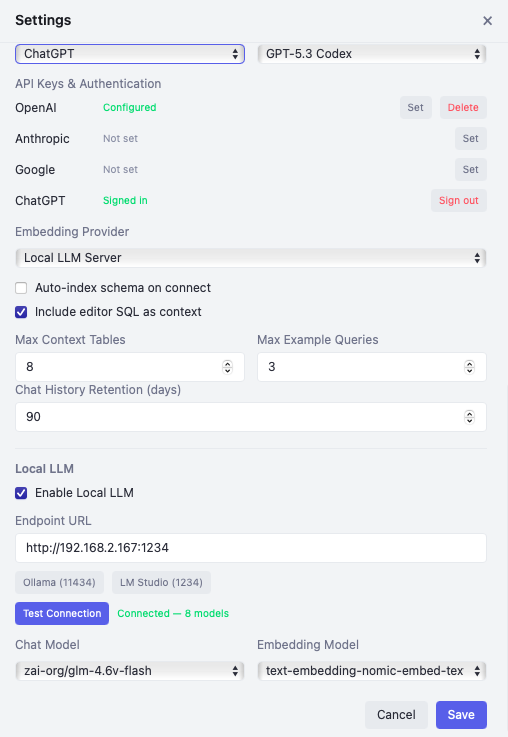
Open Settings, add an API key (OpenAI, Anthropic, Google) or connect to a local LLM. Index your schema for the best AI experience.
Setting Up the AI Assistant
The AI Assistant is optional but powerful. It uses your database schema to generate accurate SQL, explain queries, and optimize performance. Choose the setup that fits your needs.
Before you start: The AI Assistant requires an active database connection. Connect to a database first, then the AI can read your schema to generate accurate, context-aware queries.
Cloud API Key
OpenAI, Anthropic, or Google
- 1 Get an API key from OpenAI, Anthropic, or Google AI Studio
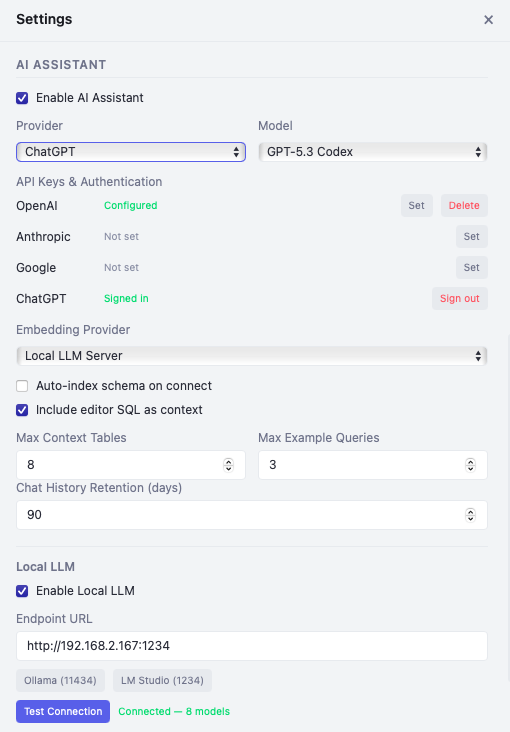
- 2 Open Settings → Enable AI Assistant
- 3 Select your Provider and paste your API key
- 4 Choose a Chat Model (e.g., GPT-4o, Claude Sonnet 4.6, Gemini 2.5 Flash)
- 5 Set Embedding Provider to the same provider, or use "Local (offline)" for free embeddings
ChatGPT Sign-In
Use your ChatGPT subscription
- 1 Open Settings → Enable AI Assistant
- 2 Select ChatGPT as the provider
- 3 Click Sign In and authenticate with your ChatGPT account
- 4 Choose a Codex model (e.g., GPT-5.3 Codex) for chat
- 5 Set up a separate Embedding Provider (see note below)
Local LLM
Ollama or LM Studio
- 1 Install Ollama or LM Studio and download a model (e.g.,
llama3.2:8b) - 2 Open Settings → Scroll to Local LLM section and enable it
- 3 Enter endpoint URL (Ollama:
http://localhost:11434, LM Studio:http://localhost:1234) - 4 Click Test Connection to verify, then select a Chat Model
- 5 Download an embedding model (e.g.,
nomic-embed-text) and select it as Embedding Model
Hybrid Approach
Mix local and cloud providers
Mix and match providers to optimize for cost, quality, and privacy. The chat model and embedding provider are configured independently.
Understanding Embeddings
Embeddings are what make the AI understand your database. When you connect, QueryStudio indexes your table names, columns, types, and relationships into a vector representation. This lets the AI find the right tables and columns when you ask a question, even if you don't remember exact names.
Chat Model
Generates SQL, explains queries, and answers questions. Requires a cloud API key, ChatGPT sign-in, or local LLM.
Embedding Model
Indexes your schema for context-aware AI. Options: built-in "Local (offline)", a Local LLM server, or cloud API (OpenAI/Google).
Changelog
What's Next?
We're actively developing new features including:
- SQL Server (MSSQL) full feature parity
- Auto-complete with schema-aware suggestions
- Query plan visualization (EXPLAIN ANALYZE)
- Data import from CSV/JSON/Excel
- Connection groups and workspaces
- Linux support
Have a suggestion? We'd love to hear what features you need most.
Frequently Asked Questions
Do I need the AI Assistant to use DC QueryStudio?
Do I need to connect to a database before using the AI?
What are schema embeddings and how do they work?
orders, order_date) even if you don't remember the exact names. This is what makes the AI schema-aware rather than just a generic SQL generator.
When does embedding indexing happen?
What are few-shot examples and how do they improve AI answers?
SELECT u.name, COUNT(o.id) FROM users u JOIN orders o ON u.id = o.user_id GROUP BY u.name, the AI learns your preferred join style, aliases, and patterns. The "Max Example Queries" setting (default: 3) controls how many examples are included. More examples give the AI better context about your conventions, resulting in SQL that matches your style.
Can I use ChatGPT sign-in for embeddings?
nomic-embed-text) or add an API key for OpenAI or Google embedding.
Is my data sent to the cloud when using the AI?
Which AI provider should I choose?
- OpenAI (GPT-4o): Best overall quality for SQL generation. Reliable and fast.
- Anthropic (Claude Sonnet 4.6): Excellent for detailed query explanations and optimization advice.
- Google (Gemini 2.5 Flash): Good balance of speed and cost. Free tier available.
- ChatGPT (Codex models): Great if you already have a ChatGPT Plus or Pro subscription. No separate API key needed.
- Local LLM: Best for privacy and zero cost. Quality depends on the model and your hardware.
Can I attach files to AI chat messages?
What databases are supported?
Is DC QueryStudio free?
Can I switch between AI providers without losing chat history?
Get Started Today
Download DC QueryStudio and work with your databases faster. The AI knows your schema.
Download Now
Need a Custom Desktop Application?
We build modern, cross-platform desktop applications tailored to your business needs. From internal tools and data analyzers to customer-facing software. Tell us your requirements and we'll build a polished application.
Discuss Your Project