
Free Software
FREEDC Studio
All-in-one desktop media toolkit for video, audio, and image editing.
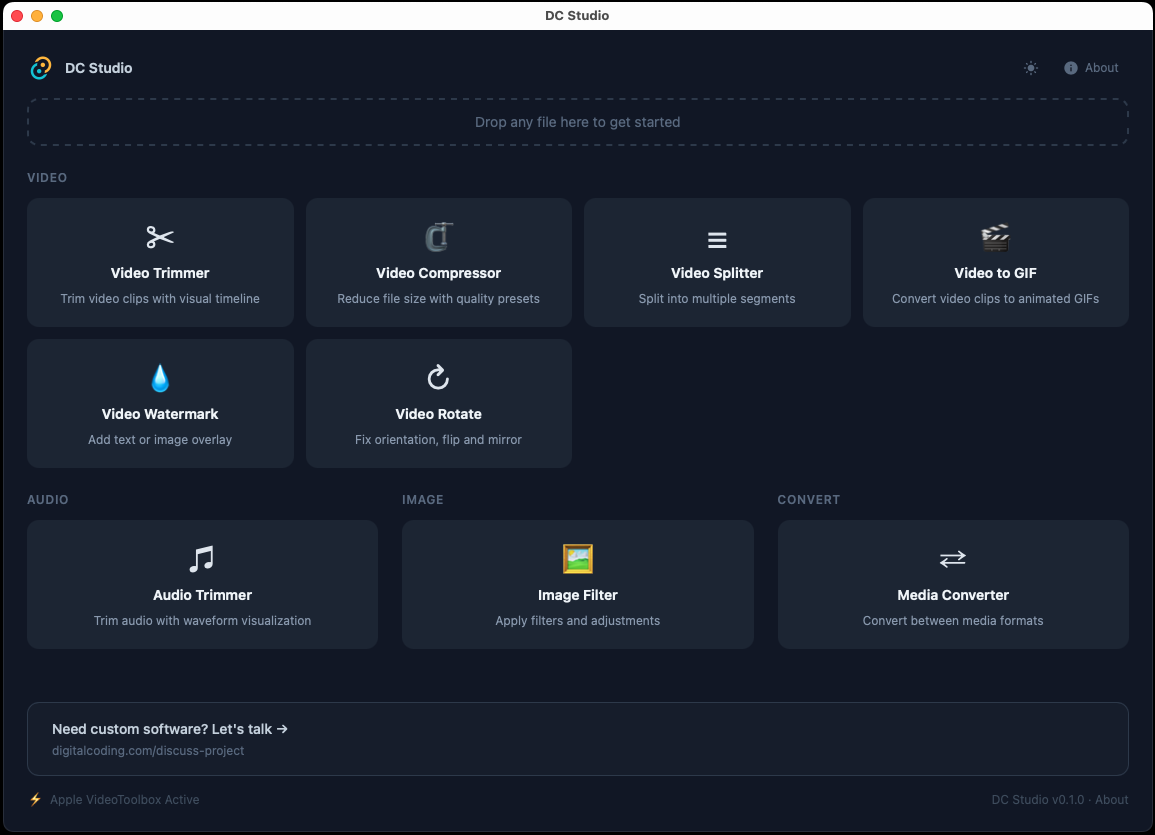
A desktop media toolkit with 13 tools for video trimming, splitting, merging, compression, speed control, GIF conversion, audio extraction, image editing, and format conversion — all in one fast, offline app. No subscriptions, no uploads, no accounts.
Editing media shouldn't require expensive subscriptions, complex software, or uploading files to the cloud. You just need to trim a video, compress a clip, or convert a format. It should be simple.
DC Studio puts 13 essential media tools in one lightweight app. Everything runs locally on your machine with FFmpeg under the hood. Open the app, pick a tool, and get results in seconds.
Download DC Studio
Select your platform and accept the terms to download.
5 platforms available. Select your platform above.
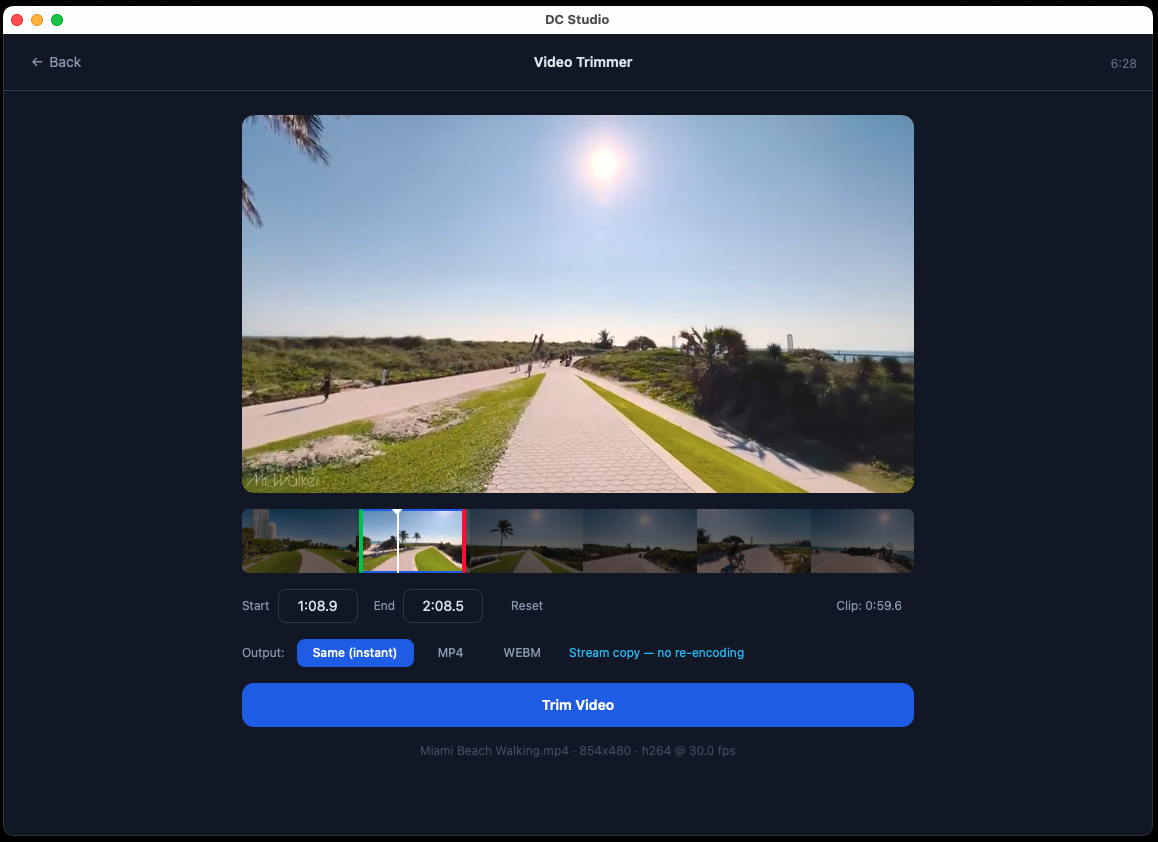
Video Trimmer
Cut videos with frame-accurate precision using waveform visualization and timeline scrubbing. Set exact start and end points.
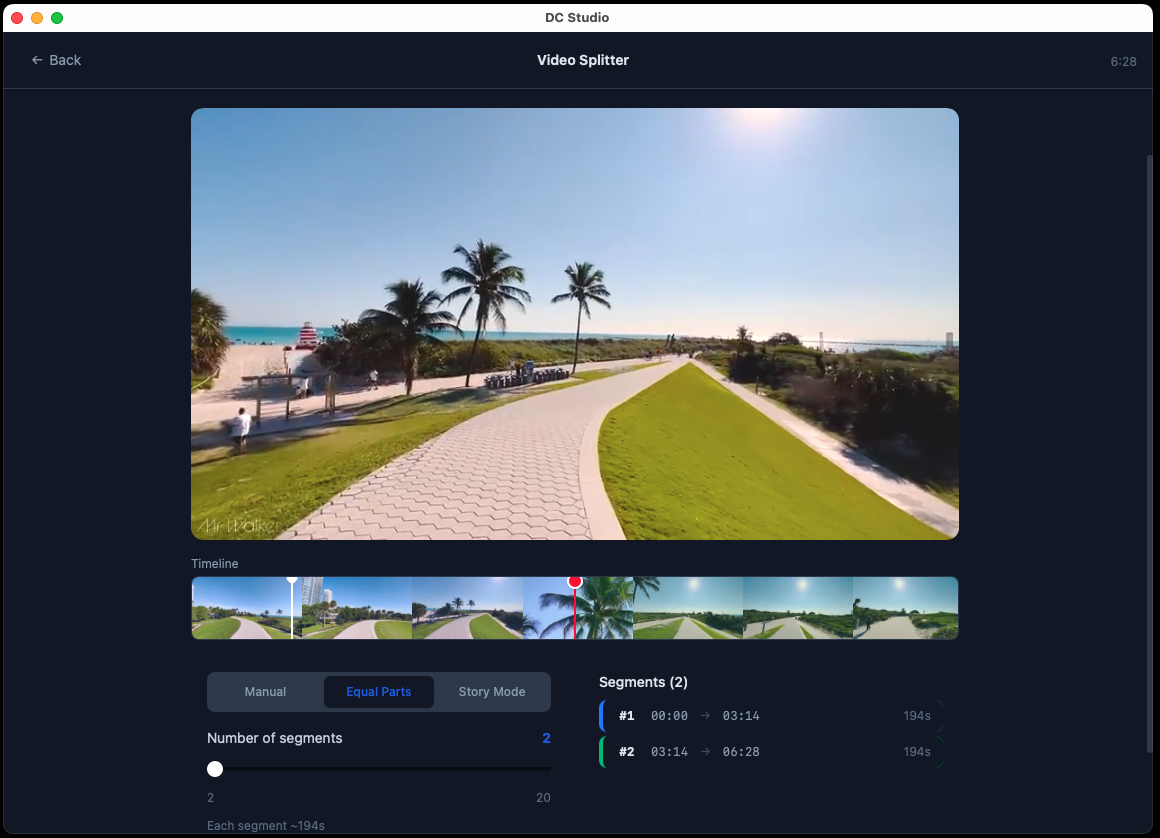
Video Splitter
Split videos into multiple segments by time or equal parts. Preview each segment before exporting.
Video Merge
Combine multiple video clips into a single file. Drag to reorder, preview before export.
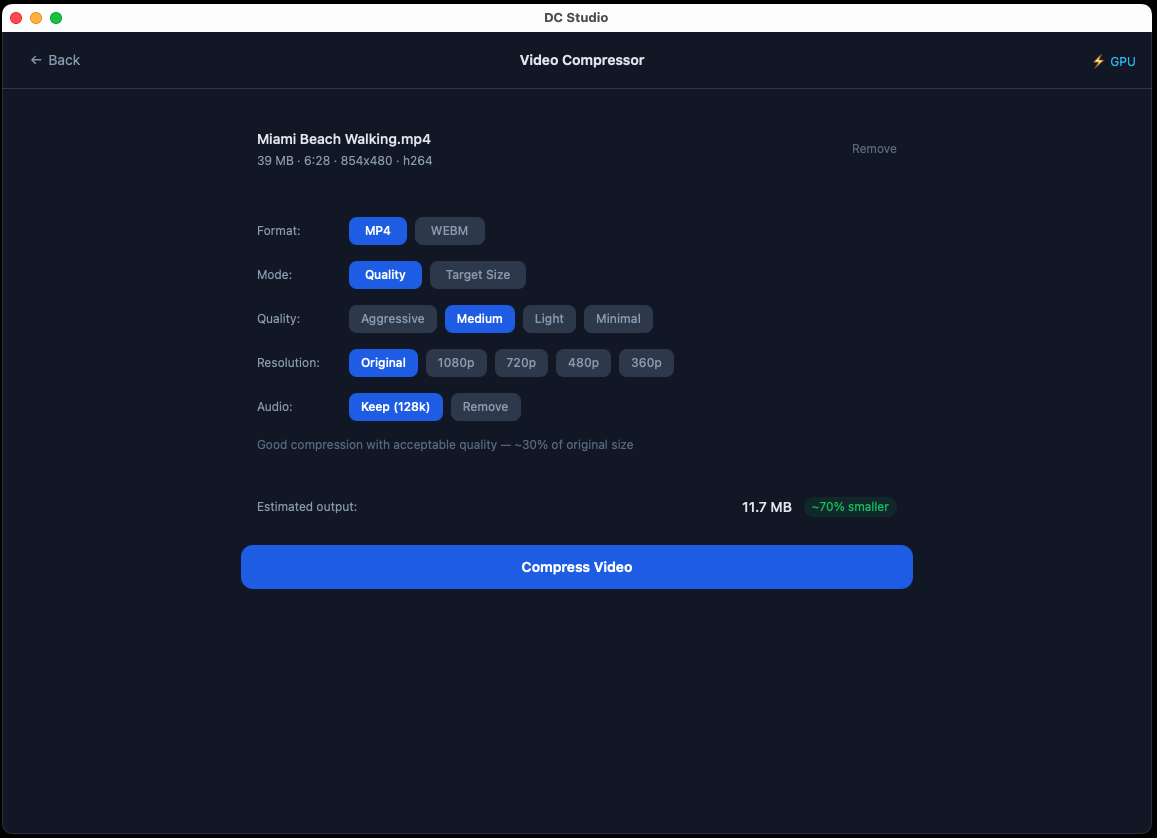
Video Compressor
Reduce video file size with quality presets or target a specific file size. Supports multiple output formats.
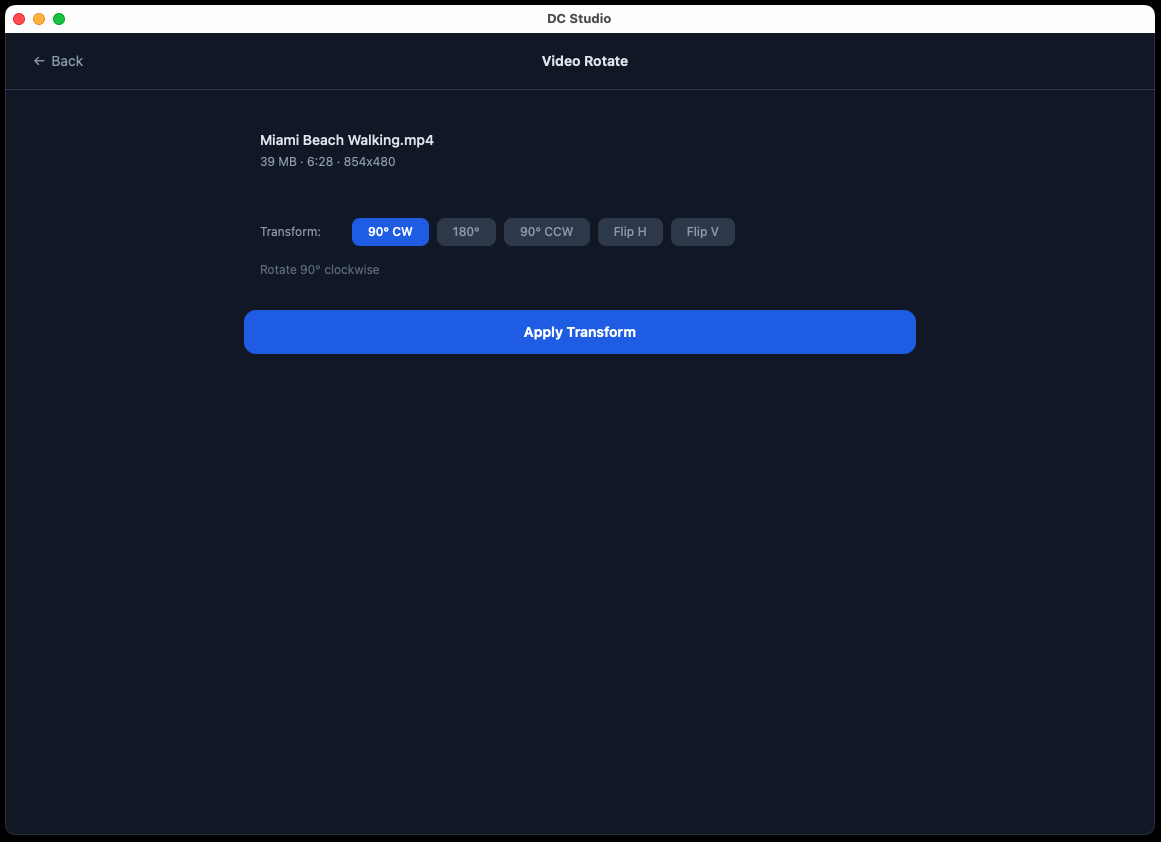
Video Rotate
Rotate videos 90°, 180°, or 270° and flip horizontally or vertically with instant preview.
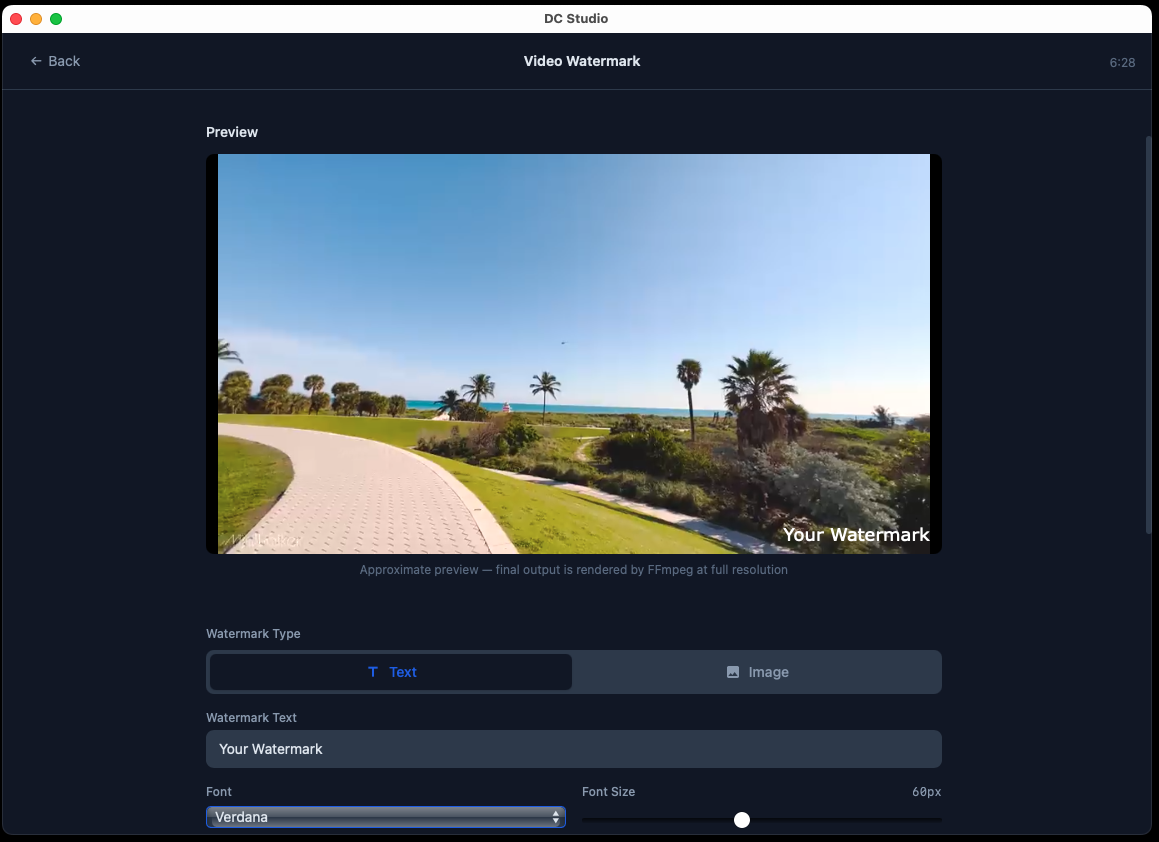
Video Watermark
Add text or image watermarks to videos with adjustable position, opacity, and size controls.
Speed Changer
Speed up or slow down video and audio from 0.25x to 4x. Option to maintain audio pitch.
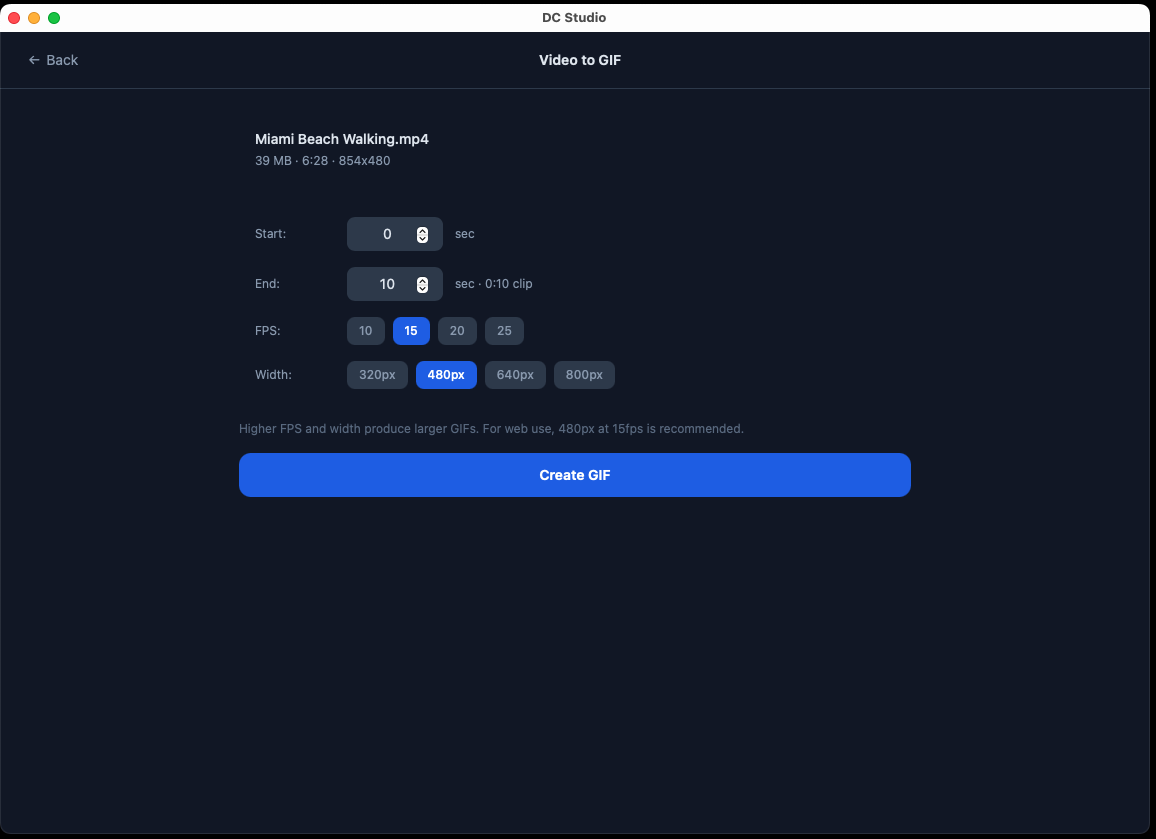
Video to GIF
Convert video clips to animated GIFs with control over frame rate, resolution, and quality.
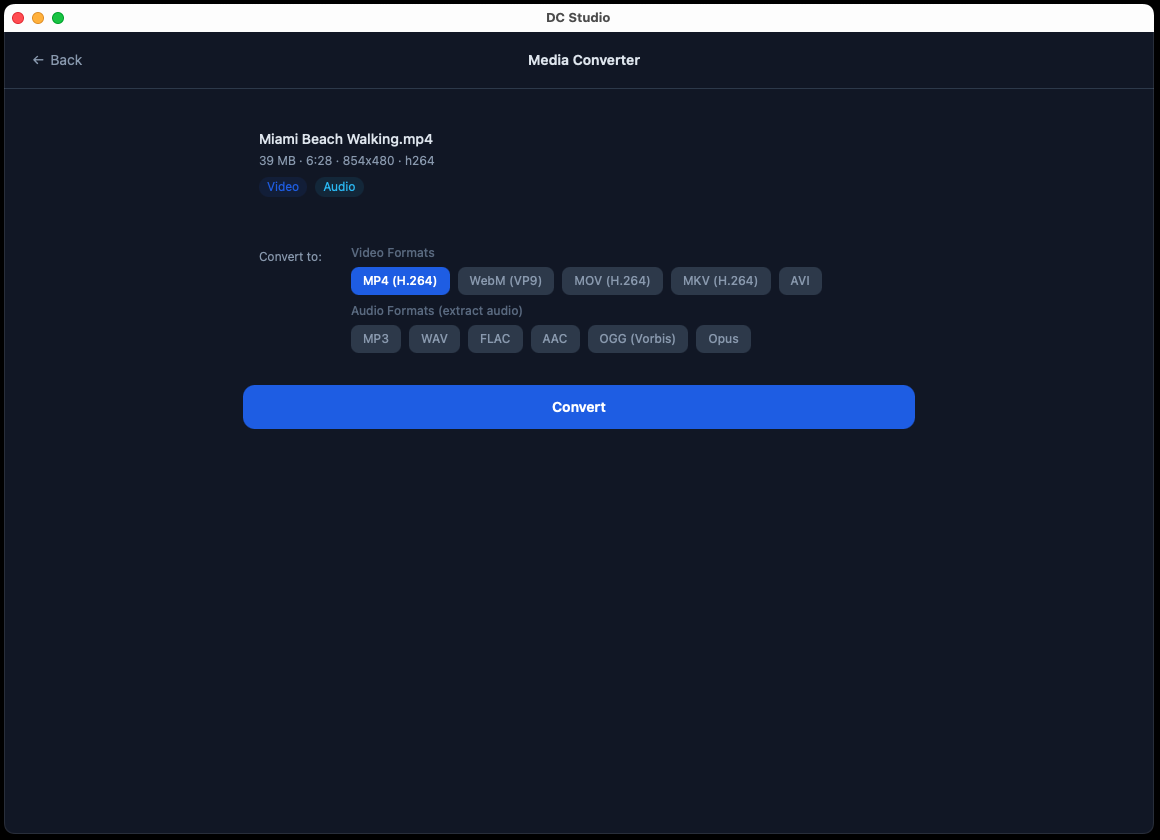
Media Converter
Convert between video, audio, and image formats. Supports MP4, MOV, AVI, MP3, WAV, PNG, JPG, and more.
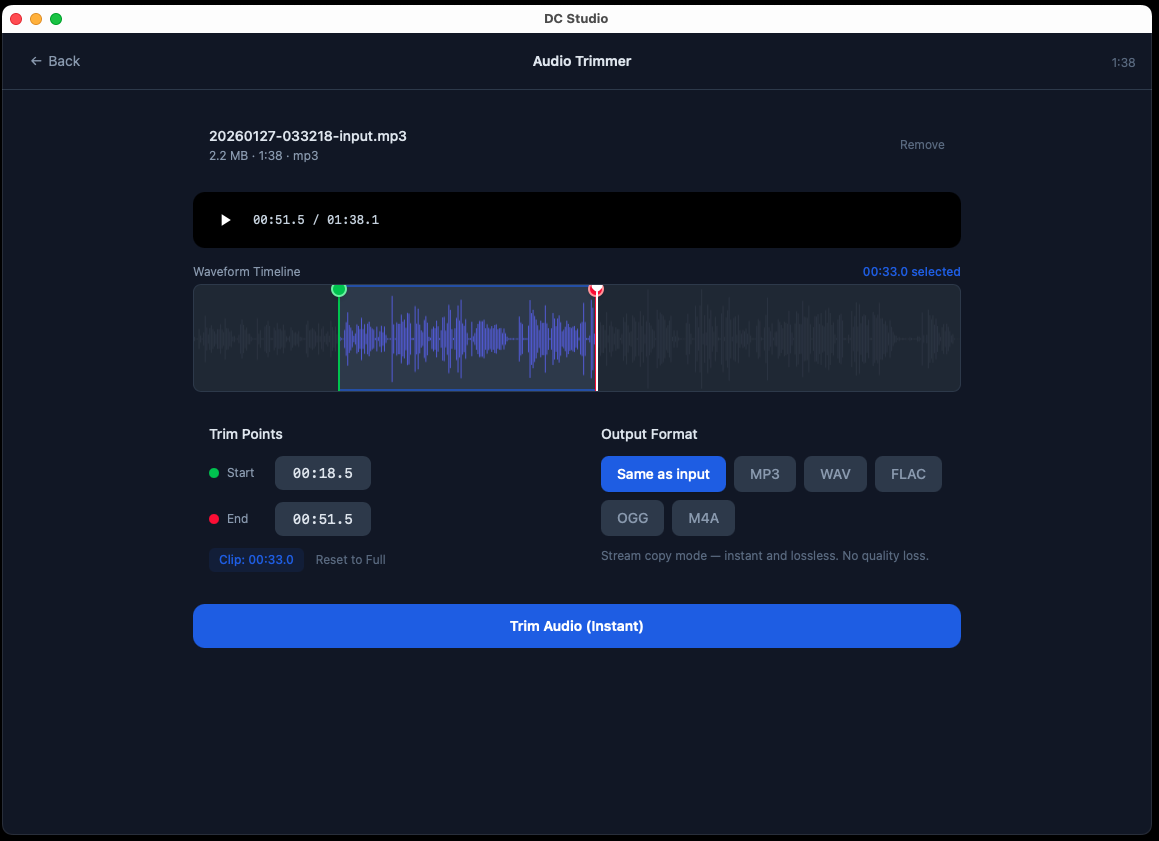
Audio Trimmer
Trim audio files with waveform display for precise start and end point selection. Export to multiple formats.
Audio Extractor
Extract audio tracks from video files. Export to MP3, WAV, FLAC, AAC, or OGG with quality selection.
Speed Changer
Also works with audio files. Adjust playback speed with optional pitch preservation.
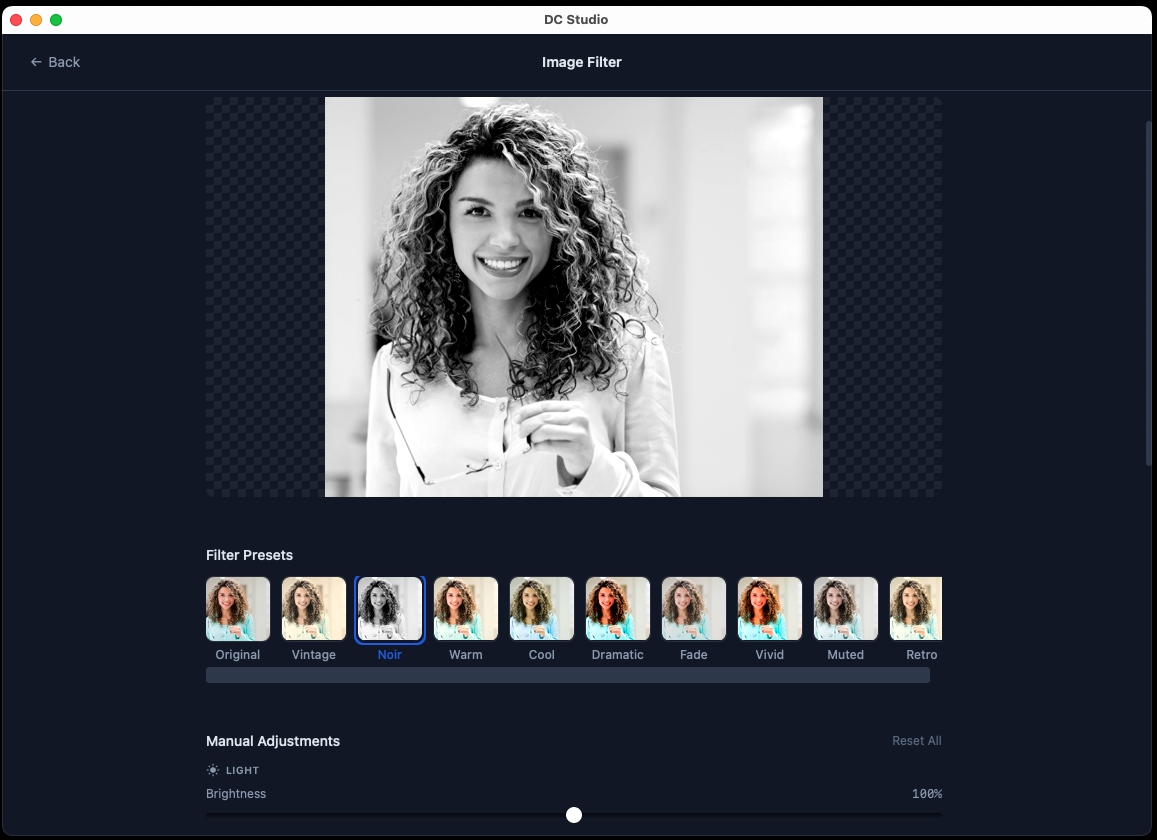
Image Filter
Apply adjustable filters including brightness, contrast, saturation, and blur with real-time preview.
Image Resize & Crop
Resize images by dimension or percentage with aspect ratio lock. Crop with precision controls.
Format Presets
Quick-select output formats optimized for web, mobile, social media, and archival use cases.
Waveform Visualization
Audio and video tools display waveforms for precise editing. See exactly where to cut.
Timeline Scrubbing
Scrub through media with a responsive timeline. Frame-by-frame navigation for exact positioning.
Real-time Preview
See changes before you export. Preview filters, trims, and conversions instantly.
macOS & Windows
Native builds for macOS (Apple Silicon and Intel) and Windows (MSI, setup EXE, and portable mode).
Offline Processing
All processing happens locally on your machine. No uploads, no cloud, no waiting.
Portable Mode
Windows portable ZIP runs without installation. Carry it on a USB drive.
See It In Action
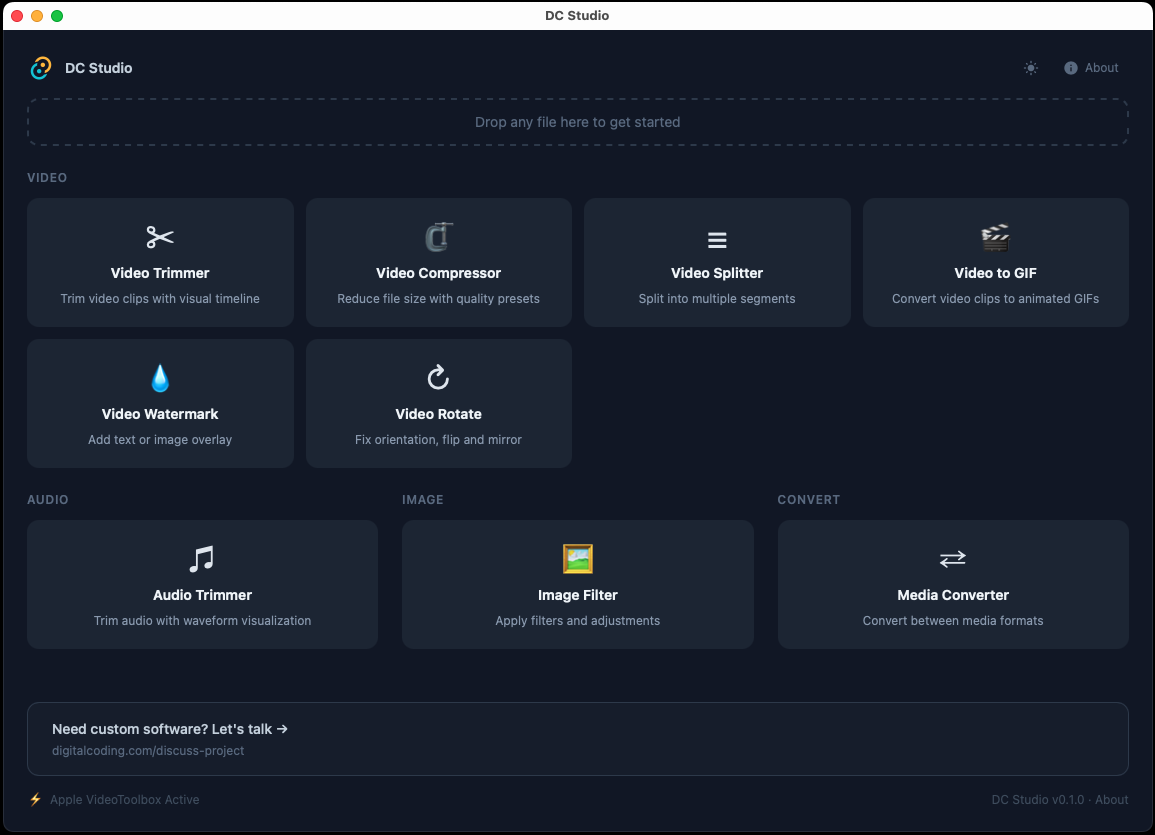
Explore the interface with screenshots of each tool and feature.
Key Features
- 13 media tools in one app: trim, split, merge, compress, convert, watermark, speed change, and more
- Video merge to combine multiple clips into one file with drag-to-reorder
- Speed changer for video and audio (0.25x–4x) with pitch preservation
- Audio extractor pulls audio tracks from video to MP3, WAV, FLAC, AAC, or OGG
- Image resize & crop with aspect ratio lock and precision controls
- Waveform visualization for frame-accurate video and audio editing
- Image filter editor with brightness, contrast, saturation, and blur adjustments
- FFmpeg bundled — no separate installation needed
- GPU-accelerated encoding via VideoToolbox, NVENC, QSV, and AMF
- Offline processing: all media stays on your machine
- Available as installer (DMG/MSI/EXE) or Windows portable ZIP
- Cross-platform: macOS (Intel & Apple Silicon) and Windows
- Completely free, no ads, no account required
How It Works
Pick a Tool
Open DC Studio and select from the tool grid: 13 tools including Video Trimmer, Merger, Speed Changer, Audio Extractor, and more.
Load Your File
Drag and drop or browse to select your video, audio, or image file. Preview loads instantly.
Export
Adjust settings, preview the result, and export. FFmpeg handles the heavy lifting in seconds.
Who Is This For?
DC Studio is built for:
Content Creators who need quick edits without opening heavyweight editors
Social Media Managers trimming clips and converting formats for different platforms
Developers who need a fast media tool without CLI complexity
Students & Educators preparing media for presentations and coursework
Anyone who wants simple, offline media editing without subscriptions
System Requirements
macOS
- macOS 12+ (Monterey or later)
- Apple Silicon (M1/M2/M3/M4) or Intel
- 200 MB disk space
Windows
- Windows 10 or 11 (64-bit)
- 200 MB disk space
- MSI installer or portable ZIP
FFmpeg is bundled with the app — no separate installation needed.
Getting Started
- 1
Download and install
Run the DMG on macOS, or MSI/EXE installer on Windows. Or use the portable ZIP on Windows — no installation required.
- 2
Pick a tool
The dashboard shows all available tools. Click one to get started.
- 3
Load your media file
Drag and drop or browse to select a file. The preview loads automatically.
- 4
Adjust and export
Set your options (trim points, quality, format), preview, then export. Done.
Changelog
v0.3.1 — Windows Bug Fixes
- Fixed sidecar binaries (ffmpeg/ffprobe) not found on Windows after MSI install
- GPU encoder detection now verifies encoders actually work before selecting them
- Added software H.264 encoding fallback for systems without GPU encoders
v0.3.0 — 4 New Tools & Windows Setup Installer
- Speed Changer: Speed up or slow down video and audio from 0.25x to 4x with optional pitch preservation
- Video Merge: Combine multiple video clips into a single file with drag-to-reorder
- Audio Extractor: Extract audio tracks from video files to MP3, WAV, FLAC, AAC, or OGG
- Image Resize & Crop: Resize images by dimension or percentage with aspect ratio lock and precision crop
- New Windows setup installer (EXE) alongside existing MSI and portable ZIP
- All Windows binaries signed with Azure Trusted Signing
- All macOS DMGs signed, notarized, and include EULA license agreement
- App now includes 13 media tools (up from 9)
v0.2.0 — GPU Encoding & LGPL Compliance
- GPU-accelerated video encoding via VideoToolbox (macOS), NVENC (NVIDIA), QSV (Intel), and AMF (AMD)
- Automatic hardware encoder detection with software fallback
- LGPL-compliant FFmpeg build: replaced libx264 (GPL) with libopenh264 (BSD)
- Shared encoder module across all video tools for consistent quality
- Fixed Image Filter export on macOS (manual pixel processing for WKWebView compatibility)
- Third-party license notices bundled in app
v0.1.0 — Initial Release
- Video Trimmer with waveform visualization and timeline scrubbing
- Video Splitter for dividing videos into segments
- Video Rotate with flip and rotation options
- Video Compressor with quality presets and target file size
- Video to GIF converter with frame rate and quality controls
- Video Watermark with text/image overlay support
- Audio Trimmer with waveform display
- Image Filter editor with adjustable parameters
- Media Converter for video, audio, and image formats
- macOS builds for Apple Silicon and Intel
- Windows builds: MSI installer and portable ZIP
What's Next?
We're actively developing new features including:
- Batch processing for multiple files
- Social media presets (Instagram Reel, YouTube Shorts, TikTok)
- AI-powered auto-transcription and subtitles
- Smart silence removal (auto jump-cut)
- Additional image filters and effects
- Linux support
Have a suggestion? We'd love to hear what tools you need most.
Get Started Today
Download DC Studio and handle all your media editing needs with one free, offline desktop app.
Download Now
Need a Custom Desktop Application?
We build modern, cross-platform desktop applications tailored to your business needs. From internal tools and data analyzers to customer-facing software. Tell us your requirements and we'll build a polished application.
Discuss Your Project