Case study · Our own product
LivePhysics, as a native iPhone, iPad and Android app
LivePhysics is our free STEM education platform. We built its mobile apps ourselves, from the first commit to the App Store and Google Play. This is how.


Free, with no ads. LivePhysics is a product we own and operate, not a client engagement.
The goal
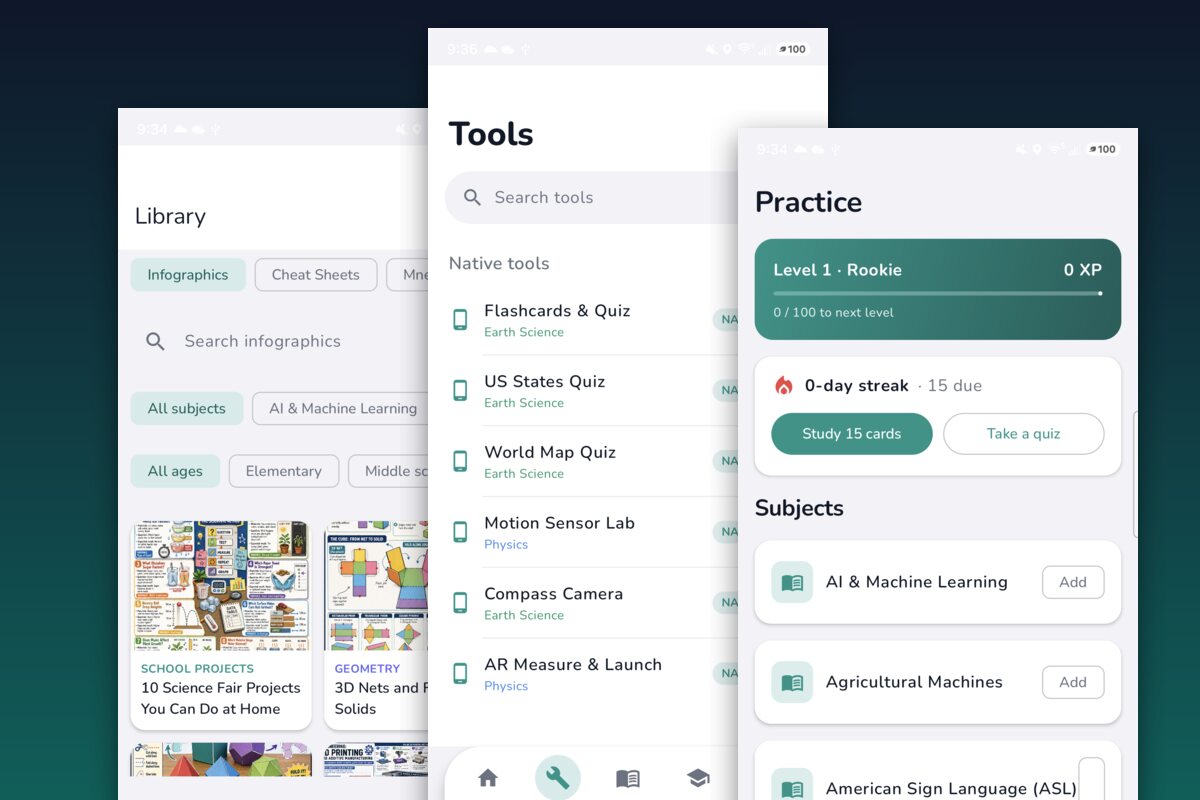
The LivePhysics website has 608+ interactive tools, 394+ virtual labs, and thousands of study materials that run in the browser. Phones can do more than a browser: work offline, read sensors, use the camera and AR, and live on the home screen. We wanted that experience on iPhone, iPad, and Android, with the same account and content as the website.
What we built
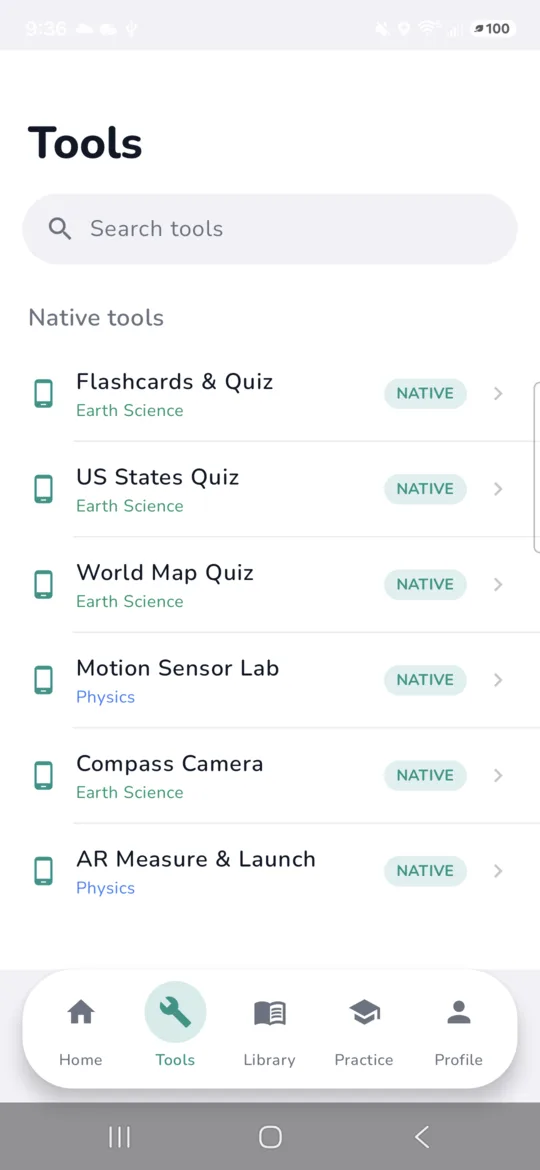
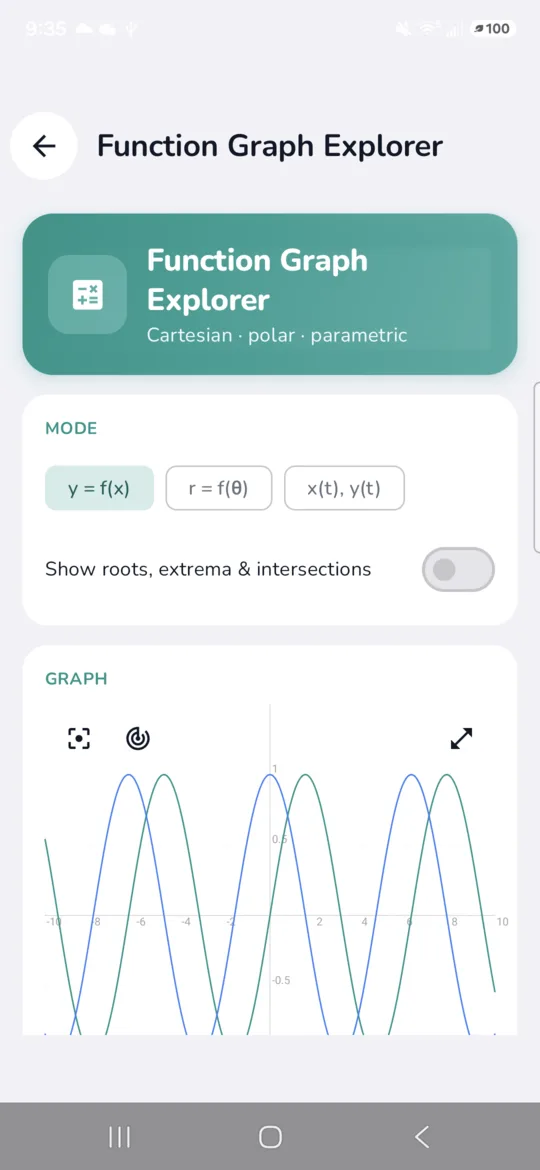
Two fully native apps instead of a wrapped website. Both share the website’s backend, so catalog, accounts, and study progress stay in one place. About twenty tools run natively and offline, and the rest of the catalog opens in an embedded view that matches the app.
The outcome
The apps are live on the App Store, listed as LivePhysics: Study & Learn, and on Google Play, listed as LivePhysics. They are free and have no ads, and they keep working when the signal does not.
What it takes
Built the way a mobile product should be
These are the same decisions we work through with clients who need a mobile app that people keep using.
Native on both platforms
SwiftUI for iPhone and iPad, Kotlin with Jetpack Compose for Android. No web wrapper, so navigation, gestures, and performance feel like each platform.
Works offline
Native tools and already-loaded content keep working in airplane mode, and account sync picks up again once the device is back online.
Real device features
A motion sensor lab, a compass camera with a heads-up display, AR measuring, and a real-time satellite tracker that uses the phone’s sensors, camera, and location.
One account across web and mobile
Sign in with Google, GitHub, or Microsoft (and Apple on iOS). The same account syncs bookmarks and study history with the website.
A built-in study system
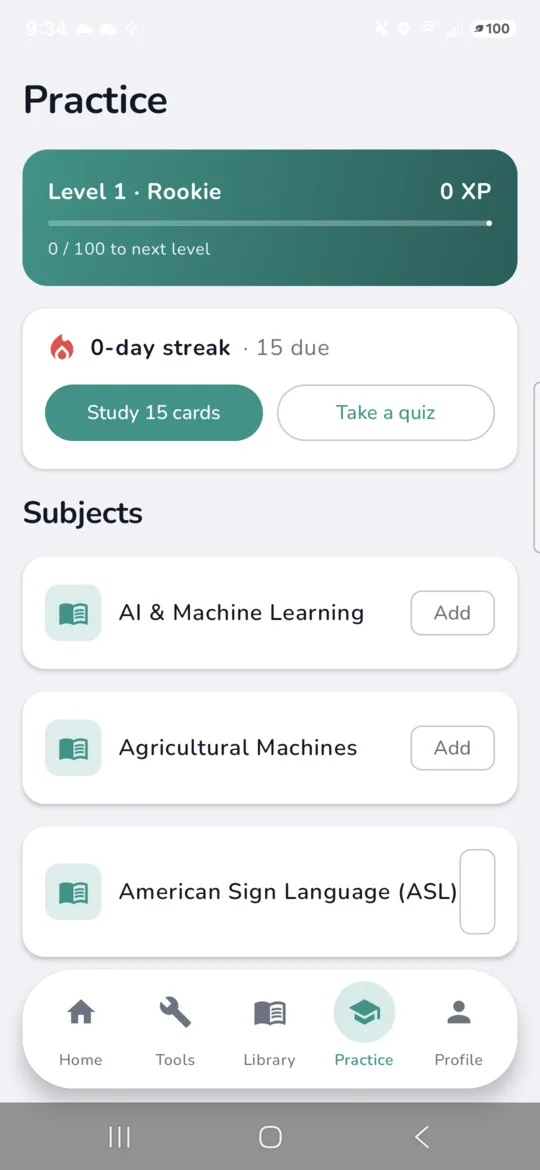
Spaced-repetition flashcards, quizzes, XP, levels, badges, and classrooms that teachers can invite students into by link.
Home-screen widgets
Streak, cards due, and level at a glance, using WidgetKit on iOS and Glance on Android.
The platform behind the apps
A large catalog, built and run by us
LivePhysics.com is free, covers math, science, computer science, and language arts for K to 12 and college learners, and is built and maintained by DigitalCoding. The apps share its catalog, accounts, and study progress.
608+
Interactive tools
394+
Virtual labs
9,226+
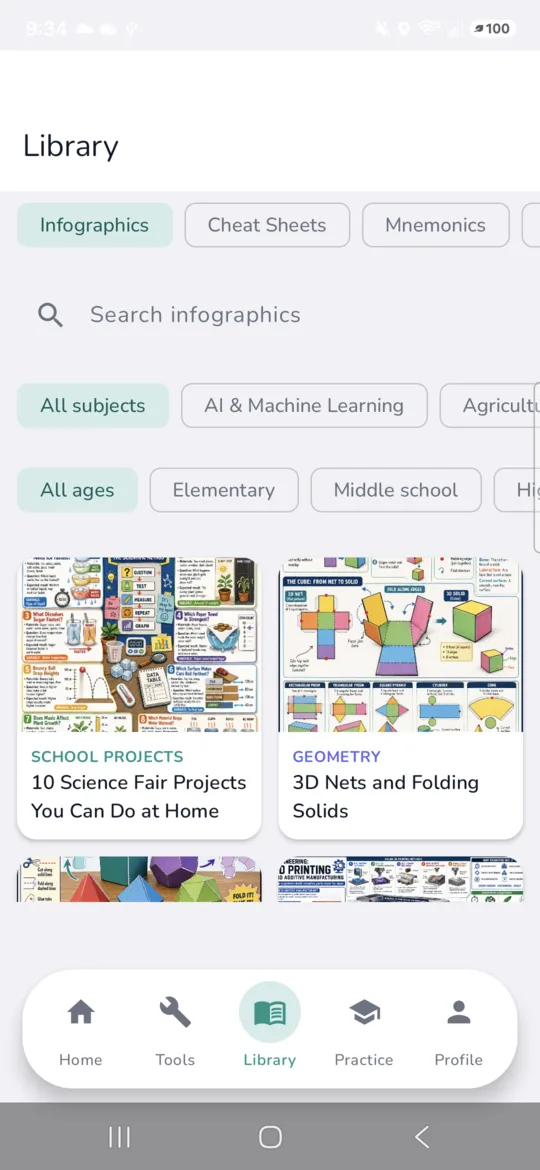
Visual study infographics
2,194+
Printable cheat sheets
1,563+
Printable worksheets
118+
Vocabulary flashcard decks
In the app
A few screens
Technology
What it is built with
Need a mobile app of your own?
Tell us what you want to build. We design, build, and publish native iOS and Android apps, and connect them to the web product you already have.